Masha and the Bear Pizza Maker
- 4.6
- Rating
- 100.00M
- Installs
- Free
- Price
 Analysis by App-foxy
Making a pizza sounds simple until a child has to remember the order, choose the right ingredients, and finish the job without turning the kitchen into a mess. That is the small idea at the heart of Masha and the Bear Pizza Maker. I found it less like a traditional role-playing game and more like a friendly pretend-play activity built around becoming the person who prepares each pizza.
The game is free to start, belongs to the role-playing category, and is developed by DEVGAME KIDS games. Its Everyone age rating makes its audience clear: this is aimed at young children, especially those who enjoy familiar characters, food play, and short activities rather than complicated controls or a demanding story. It has reached over 100 million installs and holds a 4.6 average from around 210 thousand ratings, which fits my impression that it is designed for quick, accessible play.
Why the pizza-making task matters
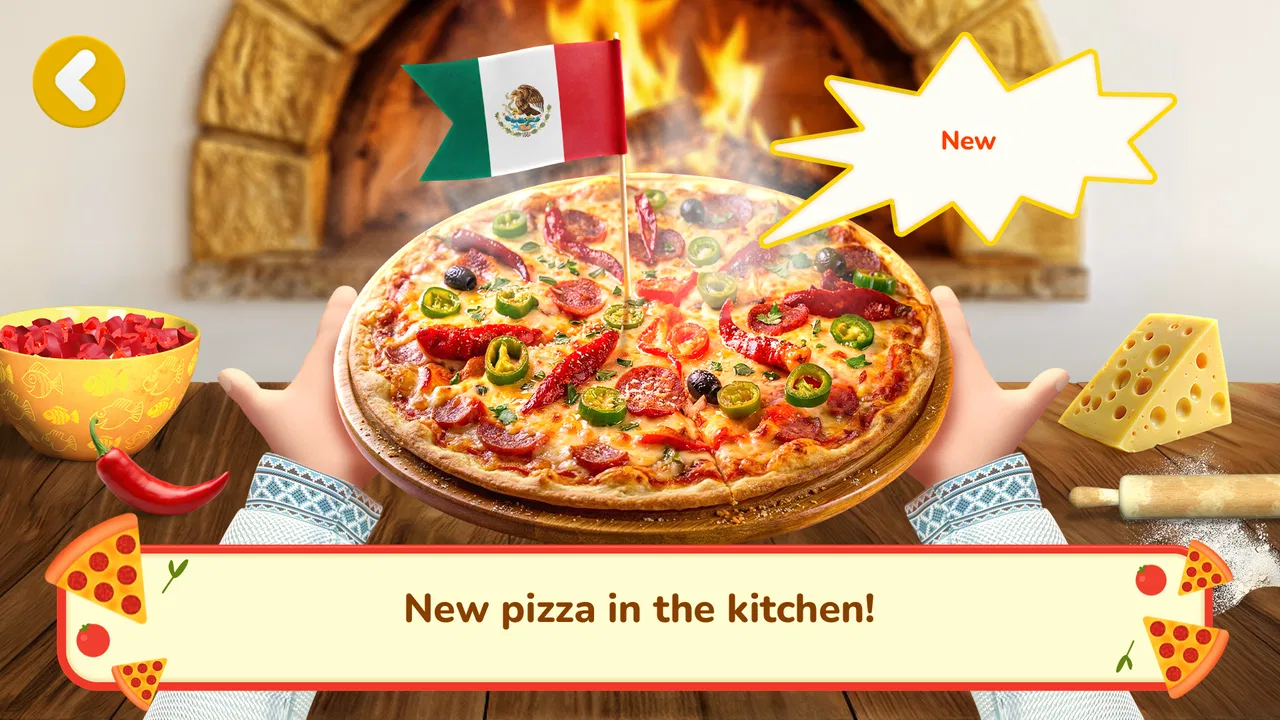
The strongest capability here is not simply that a child can “make pizza.” It is that the game turns a familiar routine into a sequence of small decisions. The player has to pay attention to what the customer appears to want, select suitable ingredients, and complete the preparation in the expected order. For a young child, that creates a gentle connection between watching, remembering, and acting.
In-Depth Coverage of Masha and the Bear Pizza Maker
I like this approach because it gives the play session a clear purpose. Many children’s games offer tapping without much consequence, while this one gives those taps a role: ingredients are chosen because they belong on the pizza, not merely because they are colorful objects on screen. The activity remains playful, but the child is practicing a basic form of following instructions.
The familiar Masha and the Bear setting also helps lower the barrier to entry. A child who already recognizes the characters can understand the mood immediately, without needing a long explanation of a new world. That familiarity does not turn the game into a deep role-playing adventure, but it does make the pretend restaurant feel approachable.
In my experience, the main appeal is the combination of independence and reassurance. The child can make choices, yet the task remains narrow enough to understand. That balance is important for younger players: too much freedom can become confusing, while too little can feel like watching an animation instead of playing.
What the player is really practicing
The useful part is the order of attention. A child may first focus on the picture or request, then look through the available ingredients, and finally carry out the preparation. That rhythm can encourage patience because the fastest tap is not always the best one. The game gently rewards looking before acting, even though it presents the activity as pretend cooking.
There is also a practical lesson in matching rather than guessing. If a child chooses ingredients randomly, the result may not feel as satisfying as following the requested combination. Parents can use that moment to ask, “What did the customer ask for?” or “Which ingredient should come next?” Those questions turn a short game into a shared observation exercise without making it feel like homework.
I would not describe this as a full cooking simulator or an educational curriculum. Its value is smaller and more immediate. It gives a child a safe digital version of a task they may have seen at home or in a restaurant, with enough structure to make the activity understandable. That focused design is its advantage, but it also means older children may outgrow it quickly.
How it feels during an ordinary play session
The controls are built for a young audience, so the basic interaction is easy to grasp. A child can concentrate on the pizza rather than learning a complicated control scheme. This matters on a phone, where small hands and accidental touches can make complex games frustrating. Here, the central activity stays visible and concrete.
A typical session works best when the child treats it as a short visit to a pretend pizzeria. They look at the request, prepare the pizza, and move on. I found that this structure makes the game suitable for brief periods, such as waiting for food, taking a quiet break, or winding down before another activity. It does not require the commitment that a larger role-playing game demands.
One useful tip is to let the child inspect the request before offering help. Adults often jump in because the activity seems obvious, but the important moment is the child noticing what is needed. If the player hesitates, a simple prompt about the picture or ingredient is better than taking over the entire task. That preserves the sense that the child is the pizzaiolo.
Another good approach is to play alongside the child once, then step back. The first session can be a demonstration of how to read the request and select ingredients. After that, the child can handle the sequence independently. This works particularly well for children who enjoy pretend play but are still developing confidence with touch controls.
You May Also Like

 Pandora - Music & Podcasts
Pandora’s Music Is Easy to Start, but Harder to Recover
Pandora’s strength is its low-effort path from a seed to a station. Its weak spot is how much confidence it asks you to place in connection, setup, and quiet recovery.

 8 Ball Pool
8 Ball Pool Is Built on Rivalries, Rematches, and Routine
A close look at the rivalries, rematches, shared routines, and unanswered safety questions that turn a quick pool match into a persistent mobile community.

 Samsung Music
Samsung Music’s Quiet Strength Is Playing What You Already Own
Its reach comes less from spectacle than from dependable access to a personal library. That simplicity is both the app’s strongest retention engine and its ceiling.

 AccuWeather: Weather Radar
AccuWeather Review: A Quick, Clear Forecast for Everyday Decisions
For everyday plans, the best forecast is the one you can understand quickly. AccuWeather makes rain timing, radar, and local conditions easy to act on, with a few trade-offs.

 Hill Climb Racing
Why Hill Climb Racing Still Turns Crashes Into One More Run
A tiny car, a bumpy hill and one more upgrade: Hill Climb Racing keeps resurfacing because its simple chaos makes every near-miss feel personal.

 AliExpress - Shopping App
AliExpress Makes Global Shopping Feel Personal, but Shoppers Bear the Risk
AliExpress turns a global marketplace into a pocket-sized discovery engine. Its reach is useful, its shopping loop compelling, and its trade-offs easy to miss.
More From Our News Desk



The game’s current version is 1.6.16, and it runs on devices using Android 7.0 or later. That makes it accessible on many older Android phones and tablets, although the actual experience will still depend on the device’s screen size and performance. A larger tablet is more comfortable for shared play because the pizza and ingredient choices are easier for a child to see and tap accurately.
Where the design can create friction
The simplicity that makes the game welcoming can also make it feel repetitive. The central pizza-making loop is easy to understand, but children looking for exploration, character development, or a larger collection of missions may want more variety. This is not the right substitute for a deeper role-playing game with a growing world and long-term progression.
The free price is helpful for trying it without an upfront purchase. However, the game includes in-app purchases ranging from $0.49 to $39.99 per item. That is a meaningful consideration for families, especially when a child is using a parent’s device. I recommend checking the device’s purchase controls before handing it over. The game is aimed at children, but the payment decision belongs with the adult.
I also think parents should set expectations about what the game is. The age rating of Everyone tells you it is broadly suitable for a general audience, but it does not mean every child will find it equally engaging. A preschooler who enjoys food preparation and recognizable characters may return to it often, while a child who prefers racing, building, or open-ended drawing may lose interest after understanding the main activity.
Compared with a conventional cooking game, this one is gentler and more focused. It avoids the pressure that can come from timers, complex recipes, or a busy restaurant management screen. Compared with an open-ended creative app, it offers more direction but less freedom. That middle position is useful: the child gets a clear task without facing the demands of a full simulation.
The best everyday use for it
The most convincing scenario is a short shared session between an adult and a young child. Imagine waiting at a restaurant before the real meal arrives. Instead of giving the child a game with a complicated map or a rapid stream of challenges, you can open this one and invite them to prepare a pretend pizza. The theme connects naturally with the setting, and the activity can end after a small number of orders without leaving the child in the middle of a long story.
At home, it can work as a transition activity. After returning from school or daycare, a child may need a few quiet minutes before dinner, bath time, or another routine. A short pizza-making session gives them something familiar to do while still leaving room for conversation. I would use it with a clear stopping point rather than allowing it to become an unlimited background activity.
There is also a nice opportunity for role reversal. Let the child tell you what belongs on the pizza while you pretend not to know. This turns the game into a confidence-building moment: the child is no longer only following instructions but explaining the order to someone else. That is a more valuable use than simply watching them tap through the screen.
For siblings, the game may work best when they take turns rather than competing over the same device. One child can read or identify the request, and the other can choose the ingredients. This creates cooperation, although the game itself is still fundamentally intended for individual touch interaction. If both children want constant control, the shared session could become more frustrating than fun.
A further tip is to connect digital play with a real-world conversation without turning it into a lesson. Afterward, ask what ingredients they would put on a real pizza or which part was easiest. You can even let them help place safe toppings on a homemade pizza later. The game cannot replace hands-on cooking, but it can provide a familiar starting point for that conversation.
When another kind of game is better
I would choose a different app for a child who wants to design freely, invent unusual recipes, or manage a complete restaurant. This game’s strength comes from its narrow focus, so it is not ideal when the goal is open-ended creativity. A drawing or sandbox-style cooking experience would offer more room for experimentation.
I would also skip it for an older player seeking challenge. The activity is intentionally accessible, and that means it may not provide the strategic depth, complex progression, or difficult timing found in more advanced role-playing games. The label describes its broad category, but the actual experience is closer to guided character play than to a substantial adventure.
It may not suit families looking for a completely purchase-free experience either. Because optional items can cost as much as $39.99, adults should make the payment settings part of the setup. That does not make the game unusable, but it changes how responsibly I would recommend introducing it to a child.
Who gets the most from this game
The best fit is a young child who likes Masha and the Bear, enjoys pretend food preparation, and benefits from clear visual tasks. It is especially useful for a child who is beginning to manage simple sequences independently. The game gives them a small job with an obvious theme, which can feel more rewarding than a collection of unrelated mini-games.
It is also a good choice for an adult who wants to participate without needing to explain a complicated game. You can sit beside the child, ask what the customer wants, and let them solve the rest. That makes the experience more social than simply placing a phone in front of them, while the short format keeps the interaction manageable.
The developer, DEVGAME KIDS games, has positioned the experience for accessibility rather than high difficulty. I see that as a strength for its intended audience, not a flaw. The important question is whether your child enjoys repeating a familiar activity and improving their attention to the request. If they do, the focused loop can remain charming; if they need constant novelty, it will probably feel limited.
Because it is free, trying it is straightforward, but I would still prepare the device first. Use a comfortable screen, check purchase protections, and decide how long the session should last. Those small steps matter more here than searching for advanced settings, because the game’s success depends largely on the child’s age, attention span, and interest in pretend cooking.
My final view is positive but specific. This is best understood as a guided pizza-play activity, not a full cooking adventure. Its real strength is the way it turns choosing ingredients and following a request into an approachable task for young children. The tradeoff is limited depth and the presence of optional purchases. For a child who wants a friendly, recognizable pizzeria experience in short sessions, it is an easy recommendation. For anyone seeking complex role-playing, broad creativity, or a demanding challenge, I would look elsewhere.
FAQs for Masha and the Bear Pizza Maker
01What is Masha and the Bear Pizza Maker app about?
Masha and the Bear Pizza Maker is a delightful cooking game that lets players join Masha and her friends in creating delicious pizzas. The app is designed to be both entertaining and educational, offering kids an interactive experience where they can learn about ingredients, recipes, and cooking processes while having fun with their favorite characters.
02Is Masha and the Bear Pizza Maker suitable for children?
Yes, Masha and the Bear Pizza Maker is specifically designed for children. The app features kid-friendly graphics, simple controls, and engaging gameplay that encourages creativity. Parents can rest assured that the content is safe and appropriate for younger audiences, providing an educational yet entertaining experience.
03Does the app require an internet connection to play?
Masha and the Bear Pizza Maker can be played offline, making it perfect for keeping kids entertained during travel or in areas with limited connectivity. However, an internet connection might be needed for certain features, such as downloading updates or accessing additional content within the app.
04Are there in-app purchases within Masha and the Bear Pizza Maker?
Yes, Masha and the Bear Pizza Maker may include in-app purchases that offer additional content or features. Parents are advised to set up parental controls to prevent unauthorized purchases and to review any available in-app purchase options to decide if they are suitable for their children’s experience.
05What devices are compatible with Masha and the Bear Pizza Maker?
Masha and the Bear Pizza Maker is available for both Android and iOS devices. It supports a wide range of smartphones and tablets, but it’s recommended to check the app store for specific device compatibility. Ensuring your device is updated to the latest operating system version will help optimize performance.
Pros
- Engaging and child-friendly interface.
- Wide variety of pizza toppings.
- Encourages creativity in kids.
- Easy-to-follow instructions.
- Fun animations and sound effects.
Cons
- Limited replay value for older kids.
- In-app purchases can be intrusive.
- Requires internet for some features.
- Occasional ads interrupt gameplay.
- Graphics may lag on older devices.

Masha and the Bear Pizza Maker
Gallery